

Communicating with the Biron team
You benefit from personalized support from the Biron data analyst team, within the limits of a monthly support allowance (depending on your subscription). This allowance covers a wide range of needs: adding metrics and dimensions, questions about calculation rules, or help with more complex issues such as “How do I identify products at risk of stockout?”.
All requests go through Jira tickets. This is the main channel for communicating with your dedicated analyst, tracking the progress of your requests, and prioritizing them during monthly check-ins.
Accessing Jira
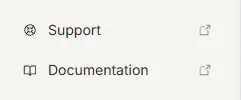
Section titled “Accessing Jira”The Jira ticketing tool is accessible from the Support button, at the bottom of the side menu. This button opens the Jira Service Management customer portal.
Creating a ticket
Section titled “Creating a ticket”In the Contact us about section, select the nature of your request:
- Request, for general requests: adding metrics, dimensions, workspace management, adding data sources, etc.
- Incident, to report an issue with the data or the Biron application.
- Product, to suggest improvements or report technical bugs.
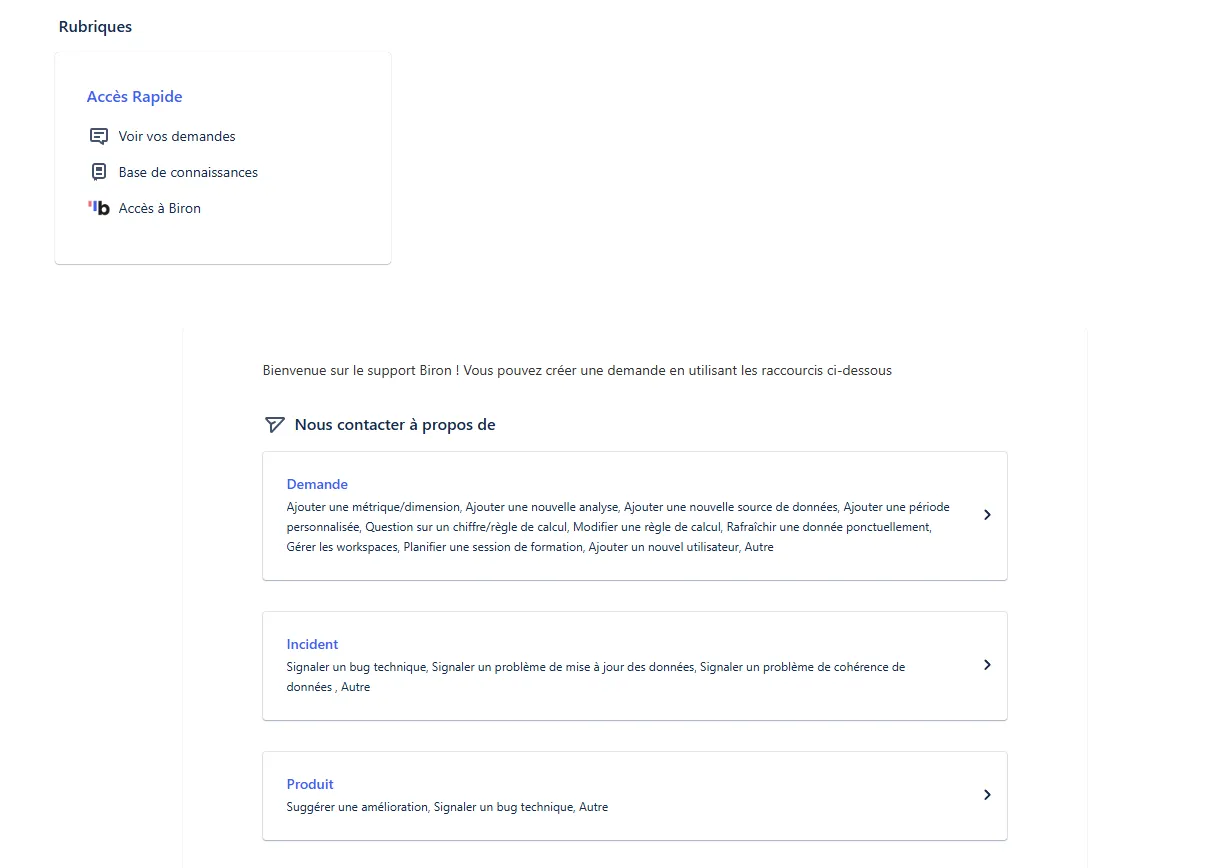
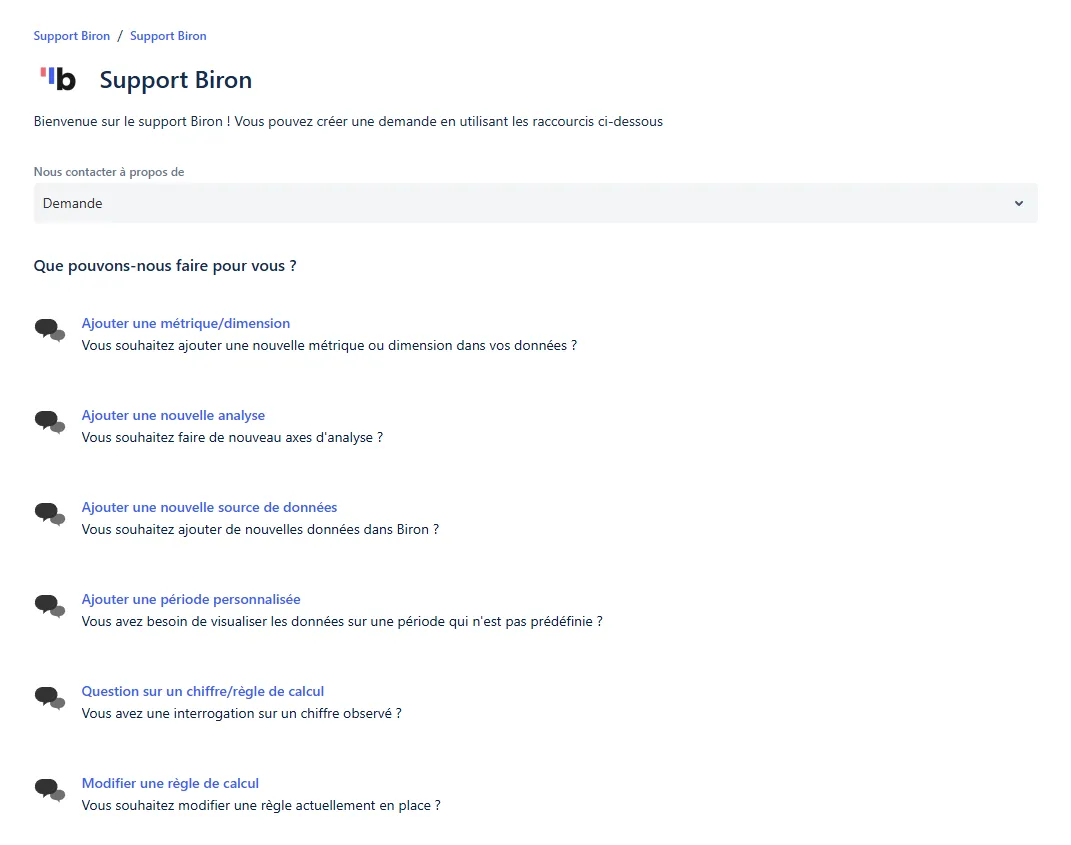
Each category then offers sub-categories to better target your request.
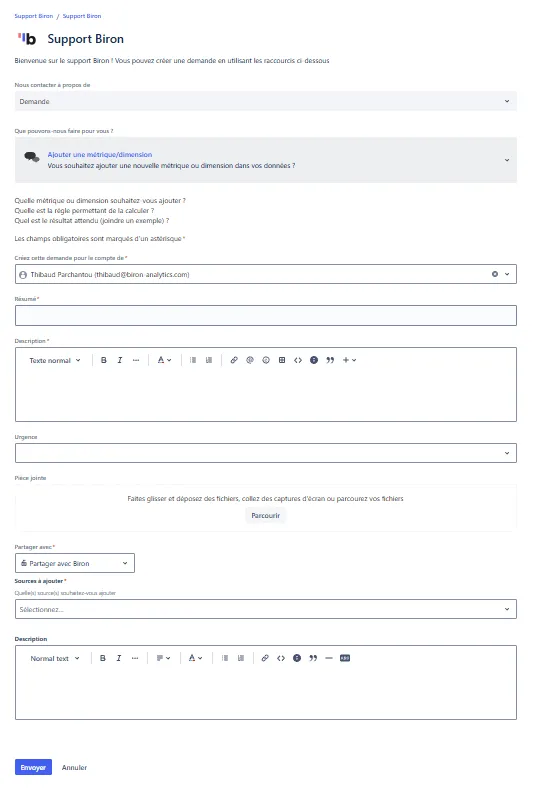
Filling in the ticket
Section titled “Filling in the ticket”| Field | Description |
|---|---|
| Summary | Short and explicit, it should summarize the request in one line |
| Description | Detail the request. You can include images, links, and markdown |
| Urgency | Used to prioritize processing among the month’s requests |
| Source to add | For any supplementary document useful for understanding |
Once the ticket is created, you can add the email addresses of people to keep informed.
Tracking your tickets
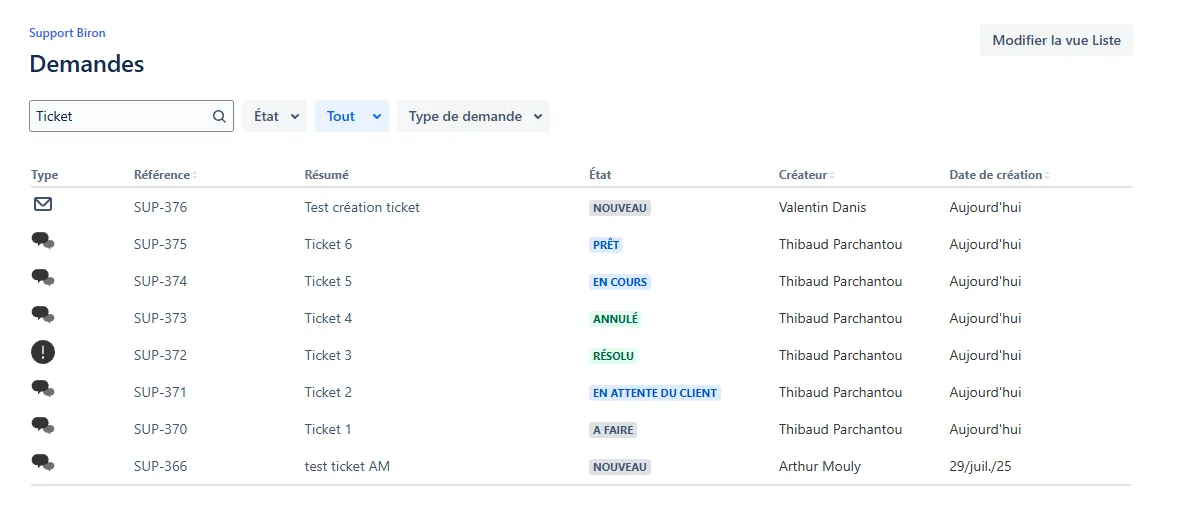
Section titled “Tracking your tickets”The ticket listing displays: subject, ID, requester, last update date, and status.
| Status | Meaning |
|---|---|
| New | Ticket created, being assigned to an analyst |
| To do | Assigned to a Biron analyst |
| In progress | Being processed |
| To review | Awaiting validation on the Biron side |
| On hold | Ticket put on hold |
| Ready | Awaiting validation on your side |
| Waiting for customer | A question or several options have been submitted to you, a response is needed to unblock the ticket |
| Cancelled | Ticket cancelled |
| Resolved | Processing completed by Biron |
| Closed | Validated by both sides |
Regular check-ins
Section titled “Regular check-ins”A monthly call with your dedicated analyst is recommended to:
- Clarify complex tickets in person and avoid back-and-forth
- Prioritize topics to address based on your teams’ needs and the remaining hours on the allowance
- Discuss broader issues: new data sources, open business questions, anticipating upcoming needs