

Period management
Access
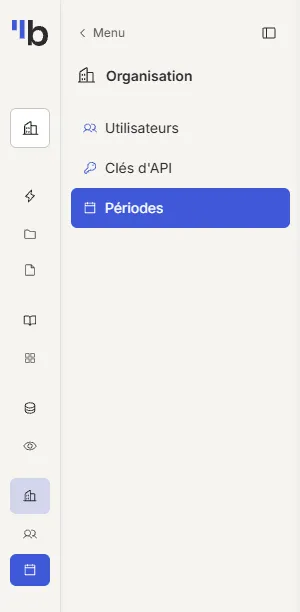
Section titled “Access”Period management is available from the Organisation section of the side menu, by clicking Periods.
This interface is reserved for users with the Admin role.
Interface
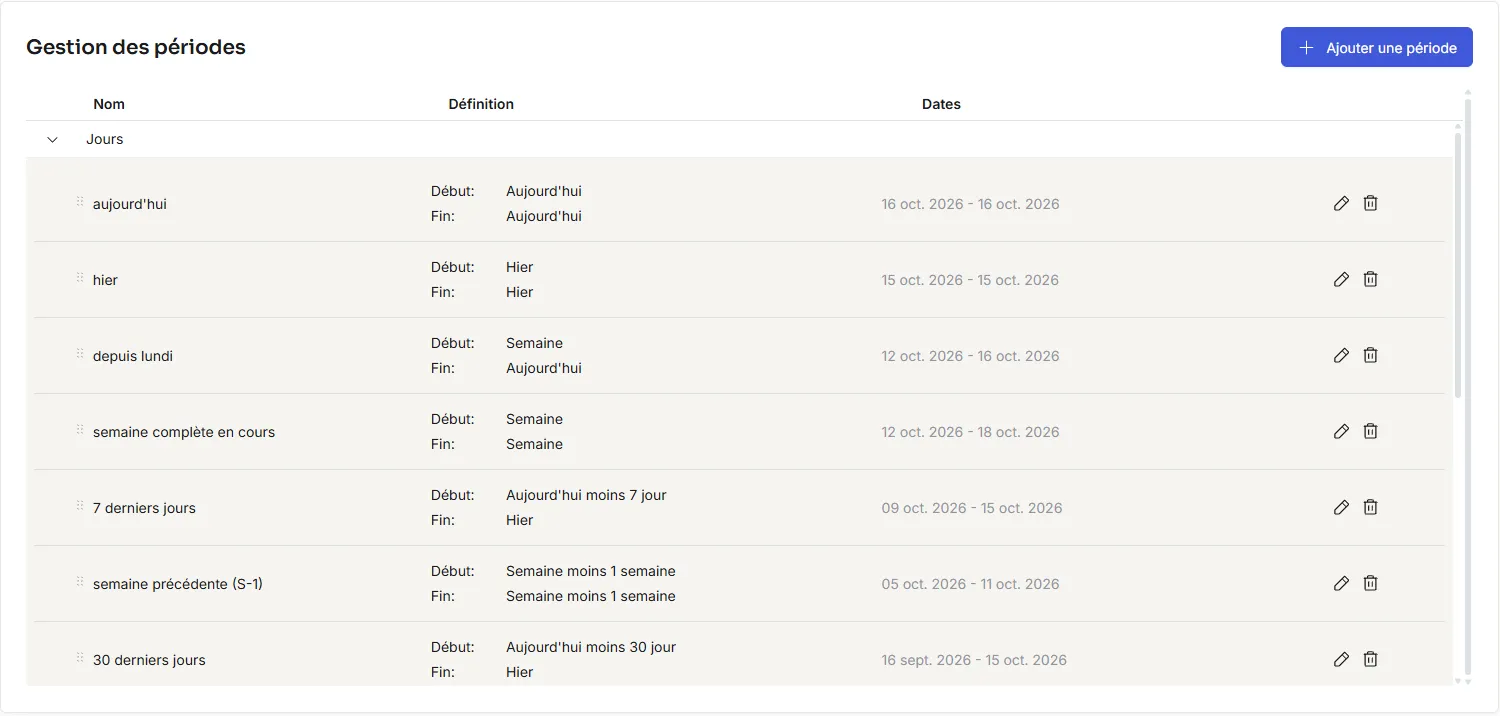
Section titled “Interface”The page shows a table organized into four date groups: Days, Months, Years, and Others.
Each group lists the available presets. By default, the periods provided by Biron are shown.
Deleting a preset
Section titled “Deleting a preset”Clicking the trash icon on a row removes the preset from the list.
Creating a period
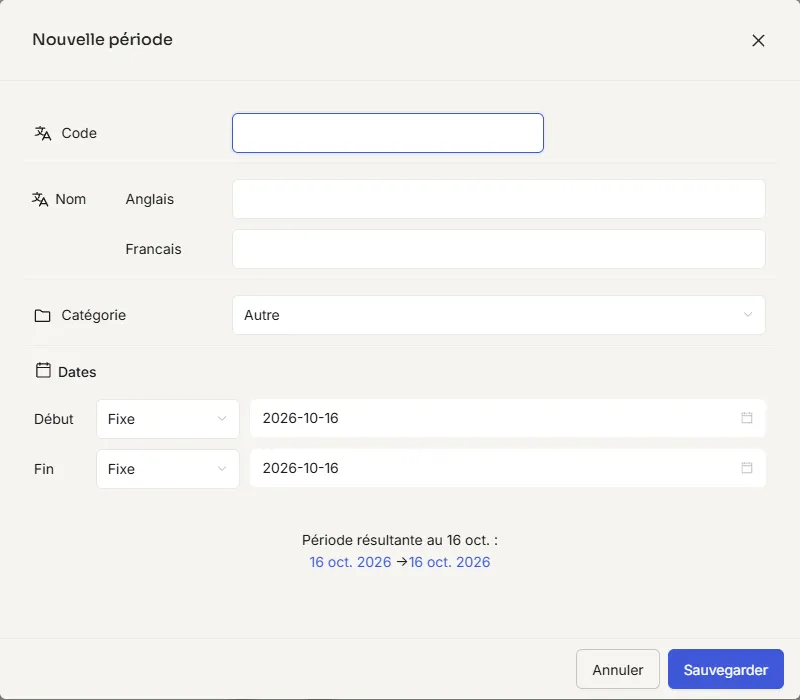
Section titled “Creating a period”Click the + Add a period button to open the New period window.
Form fields
Section titled “Form fields”| Field | Required | Description |
|---|---|---|
| Code | Yes | Technical identifier. By default, the English name of the period |
| French name | Recommended | Label displayed for French-speaking users |
| English name | Recommended | English label: fill it in even if you have no English-speaking users |
| Category | Yes | Group in which the preset will appear: Days, Months, Years, or Other |
| Start / End | Yes | Period boundaries (see below) |
Defining period boundaries
Section titled “Defining period boundaries”Each boundary (start and end) can be of two types: fixed or dynamic.
Fixed boundary
Section titled “Fixed boundary”A specific calendar date, entered with the date picker.
When to use it: for known, unchanging events (sales, site launch, one-off campaign).
Dynamic boundary
Section titled “Dynamic boundary”A reference relative to today, chosen from:
- Today
- Yesterday
- Week
- Month
- Quarter
- Year
- Fiscal Year To update the start date of your fiscal year, contact the Biron team.
On the start boundary, the value returned is the first day of the selected period.
On the end boundary, the value returned is the last day of the selected period.
Offset
Section titled “Offset”You can shift any dynamic boundary by adding an offset: click “minus” and select a value and a unit (days, months, years).
Example: Dynamic, Month, Minus 2 years → first day of the month two years ago.
Period examples
Section titled “Period examples”Fixed period, e.g. Summer sales 2025
Section titled “Fixed period, e.g. Summer sales 2025”For dated, unchanging events.
| Boundary | Type | Value |
|---|---|---|
| Start | Fixed | June 25, 2025 |
| End | Fixed | July 22, 2025 |
Dynamic period, e.g. Last 15 days
Section titled “Dynamic period, e.g. Last 15 days”For rolling analysis windows.
| Boundary | Type | Value |
|---|---|---|
| Start | Dynamic | Yesterday − 15 days |
| End | Dynamic | Yesterday |
Mixed period, e.g. Since the launch of the new site
Section titled “Mixed period, e.g. Since the launch of the new site”To track changes from a specific date up to today.
| Boundary | Type | Value |
|---|---|---|
| Start | Fixed | July 5, 2025 |
| End | Dynamic | Yesterday |
Editing a preset
Section titled “Editing a preset”Click the pencil icon on a row to reopen the form pre-filled with the preset’s settings.
Change the fields you want and validate to save the changes.