

Granting access to Amazon Seller Central data
To allow us to retrieve your Amazon Seller Central data:
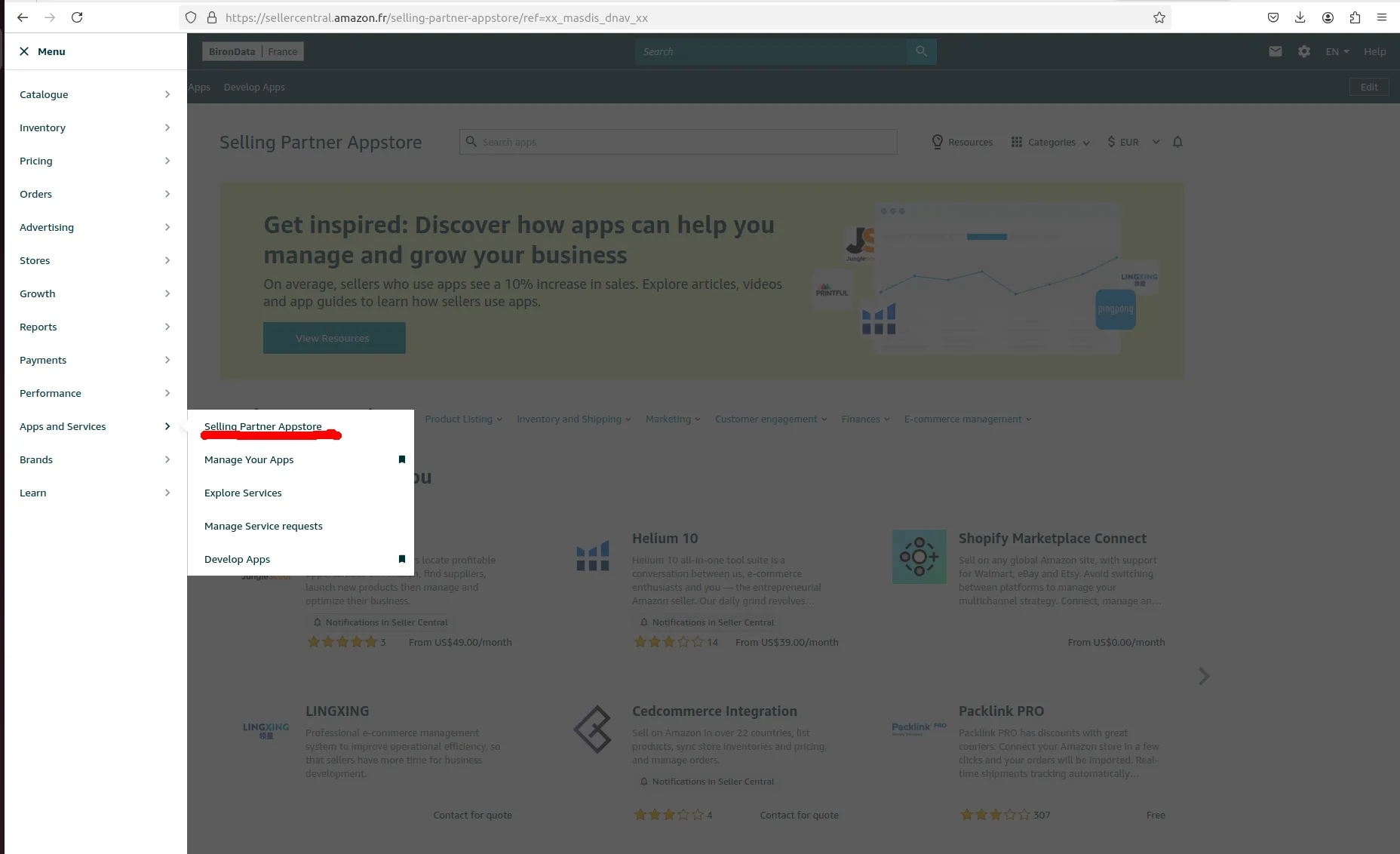
Go to the Menu of your Seller Central space, then Apps and Services → Selling Partner Appstore.
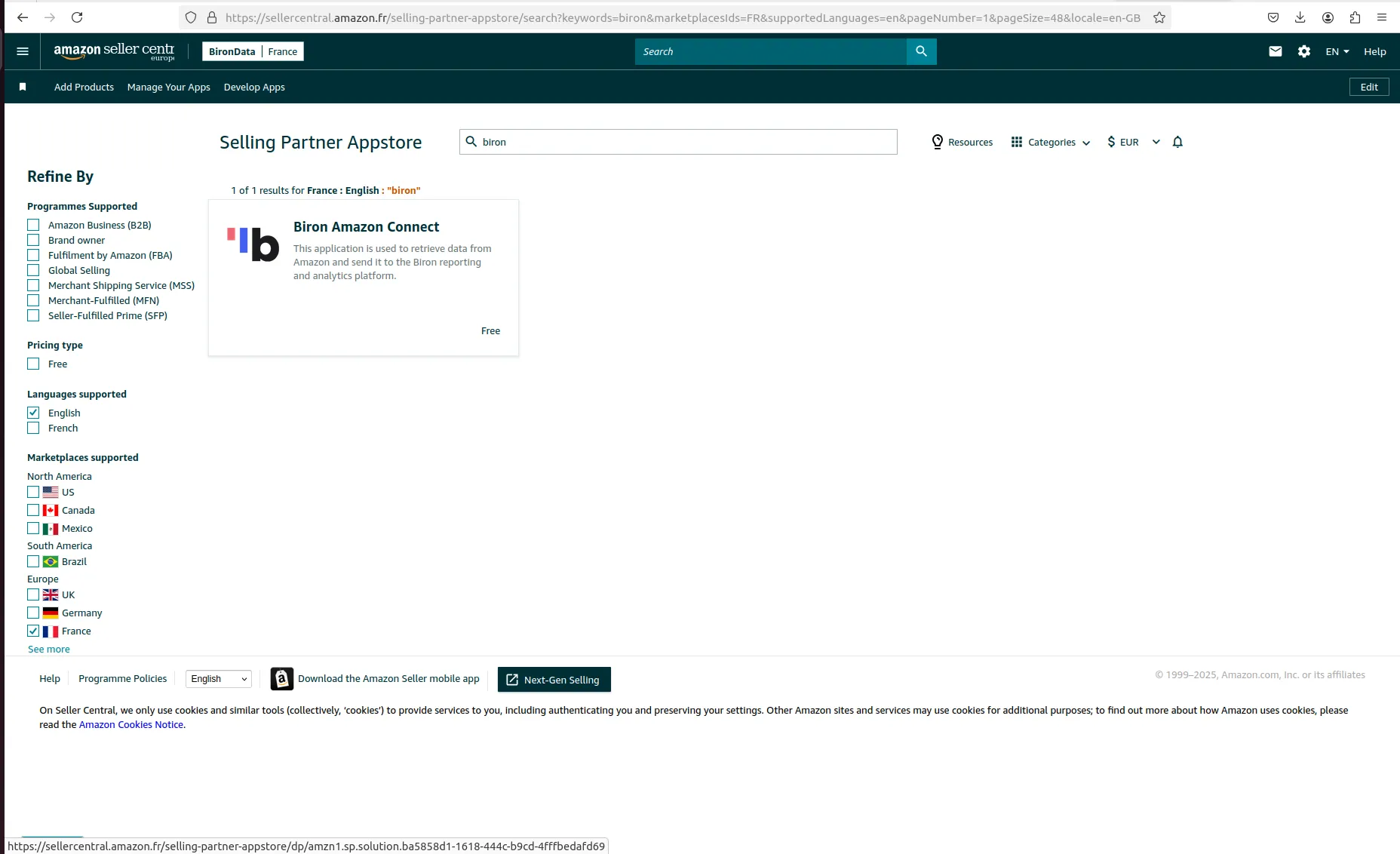
On the page, search for Biron, click on the app, and install it.
That’s it!
Please notify us once this is done so we can start retrieving the data.
By default, we only retrieve the “FR” marketplace. If other countries need to be retrieved, please let us know their country_code.